


Trendler tıklamaya dönüşür,
tek bir yaratıcı akışta.
Videonu anlat. TUMB YouTube desenlerini araştırır, yaratıcı yönler önerir ve onayından sonra thumbnail varyantları üretir.
youtube.com/feed/trending
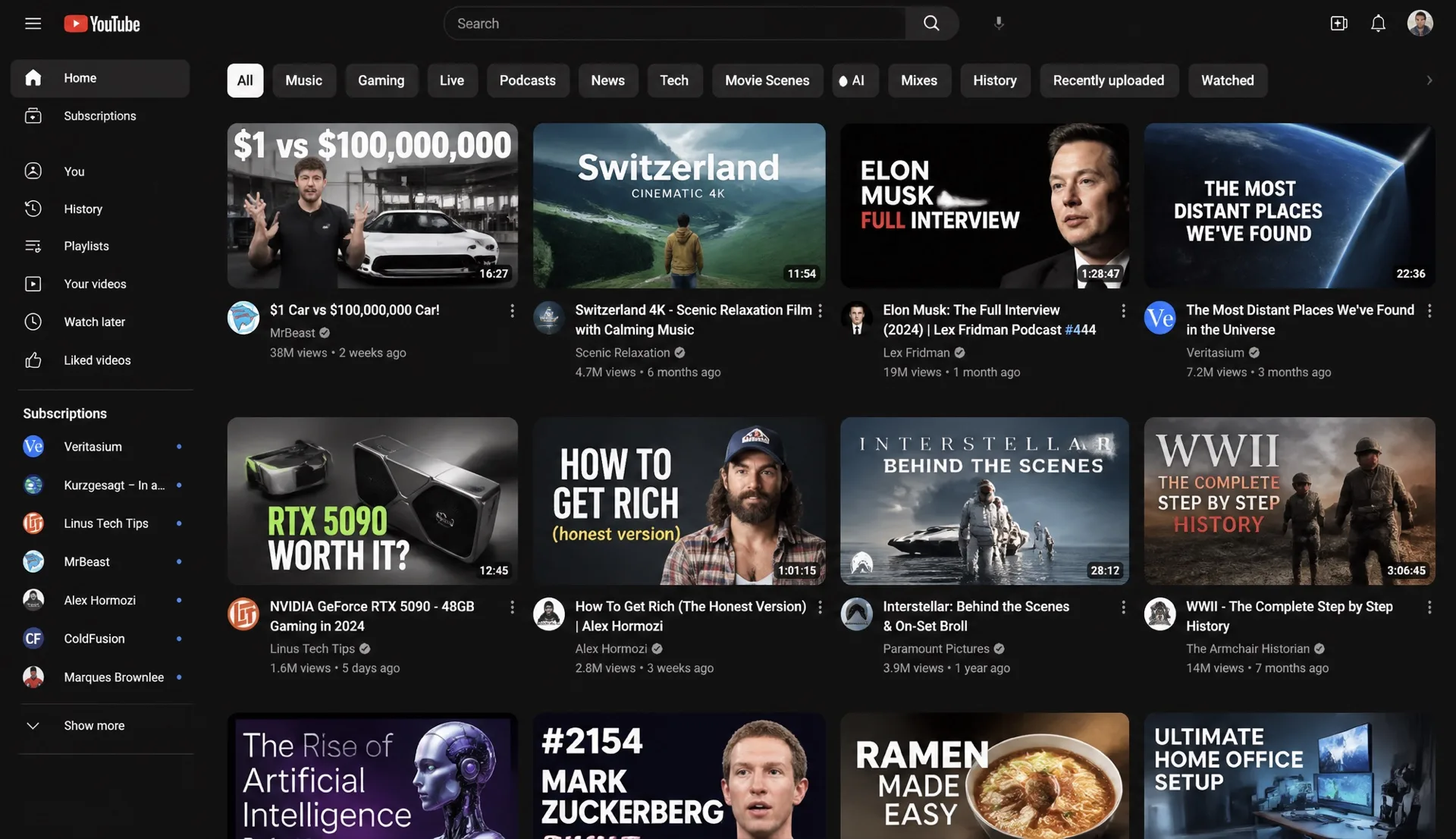
Sinyal penceresi neyin hareket ettiğini gösterir; TUMB bu hareketi görsel düzenleme başlamadan önce kısa bir karar özetine çevirir.
4 adımniyetten edite
trend -> özet -> kare · onaylı yaratıcı yön · incelemeye hazır varyantlar
Atlas
Farklı nişler. Aynı net sistem.











Pro
Tek creator olarak rota, taslak panosu ve ilk final thumbnail akışlarını başlatmak için.
Fiyat
$12/ay
Aylık tahsil edilir
Krediler
400/ay
Üretim havuzu
- Trend ve kanca rotaları
- Taslak panosu üretimi
- Personalı thumbnail üretimi
- Final thumbnail arşivi
Studio
Birden fazla videoyu tekrar edilebilir kanal paketlemesiyle yöneten ekipler için.
Fiyat
$39/ay
Aylık tahsil edilir
Krediler
1.600/ay
Üretim havuzu
- Pro planındaki her şey
- Çoklu kanal bağlamı
- Daha geniş kredi havuzu
- Üretim inceleme geçmişi
Creator Network
Daha çok deneme, daha çok final ve ortak üretim ritmi isteyen creator ekipleri için.
Fiyat
$79/ay
Aylık tahsil edilir
Krediler
3.600/ay
Üretim havuzu
- Studio planındaki her şey
- Network kredi havuzu
- Çoklu kanal paketleme
- Daha fazla final thumbnail akışı
SSS
Kullanıcı stüdyoya girmeden önce net cevaplar.
Krediler, düzenlemeler, örnekler ve thumbnail üretilmeden önce olanlar hakkında kısa cevaplar.
Tümünü görTUMB tam olarak ne yapar?+
TUMB YouTube trend sinyallerini yaratıcı özete çevirir, ardından başlıklar, thumbnail varyantları ve düzenlenebilir paketler üretir. Videoyu anlatırsın; TUMB rotayı yazar, kareyi üretir ve hâlâ düzenleyebileceğin bir çıktı verir.
Başlamak için kanal bağlamam gerekir mi?+
Hayır. Kendi video fikrin ve referanslarınla başlayabilirsin. Kanalı daha sonra bağlamak, TUMB'ın nişini ve tekrar eden görsel desenlerini daha iyi okumasına yardım eder.
Üretilen thumbnail final mi, düzenleyebilir miyim?+
Thumbnail çıktıları inceleme ve geliştirme için hazırlanır. Amaç yönü onaylayabilmen, reddedebilmen veya güçlendirebilmen.
Çeviri yerleşimi nasıl korur?+
TUMB mümkün olduğunda metin katmanlarını değiştirirken yerleşimi korumak için tasarlanır. Konu yerleşimi, palet ve grid tanıdık kalır.
Fiyatı ne?+
Self-servis tarafta üç plan var: Pro, Studio ve Creator Network. Yeni hesaplara ilk üretim akışını denemek için başlangıç kredisi verilir.